
Global control group
The global control group mechanism helps to evaluate the effectiveness of communication campaigns and optimize marketing and communication strategies.
General Information
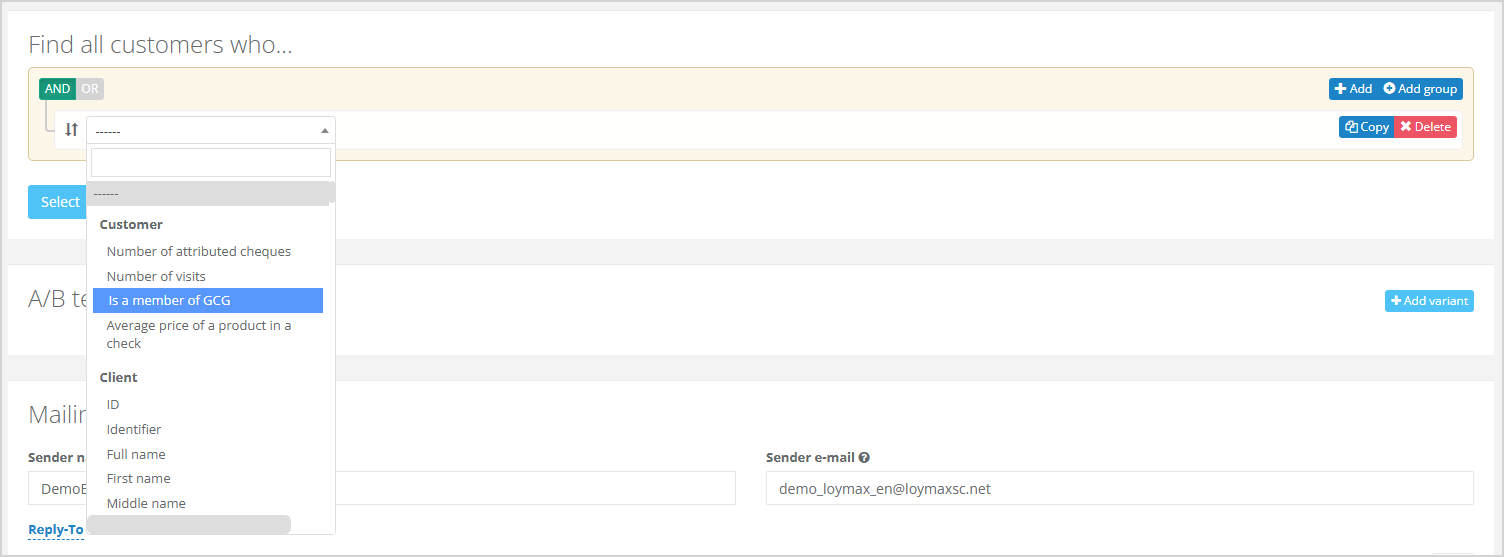
Global control group (GCG) is defined at the Company level across all segments, which distinguishes it from Control groups, which are set at the communication level — for individual mailings or campaigns.
|
Global control group is defined as a percentage of the total customer base for a specified period. The system allows to include or exclude GCG members in all ongoing campaigns and mailings. The customers will not receive the mailing, even if they are included in the segment if Exclude GCG members is selected within a communication.
Creating a global control group
There are two ways to form a GCG:
- GCG members are manually selected by the Company and uploaded into Smart Communications via a list of identifiers. Transfer methods include file exchange or direct database integration with the Company system.
- GCG members are selected directly within Smart Communications based on predefined user rules:
- Group size in percentage,
- The period during which a customer remains in the group (after the specified interval, the GCG will be automatically re-formed by the system).
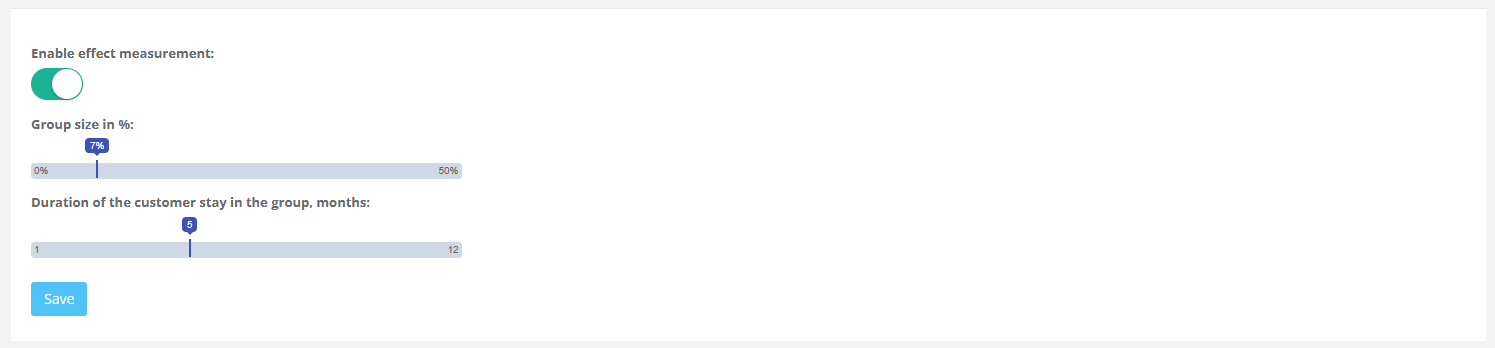
To create a GCG in Smart Communications, navigate to the Settings > Global control group section.
|
A modal window will open where you need to specify the following parameters:
- Enable effect measurement (optional);
- Group size in %;
- Duration of the customer stay in the group, months.
Click Save to activate the GCG settings.
See also: