
Events in Smart Communications
General Information
There are two types of events:
- Customer event — an event relevant to a specific customer only. For example, "Customer called the Call Center", meaning a specific customer contacted the Call Center.
- System event — an event relevant to all customers and not tied to any particular one. For example, "Product X is available in stock" — this event can be used to notify all customers who have previously shown interest in this product.
An event has a name and may include context (or not). Context is a set of variables and their corresponding values. Event context does not change over time (unlike receipts, where receipt content or status might change).
All events are displayed in the event history within the Customer Profile.
Loymax Smart Communications receives information about external events from the master system it is integrated with.
Events in the Segment Builder
Events can be used as filters when building customer segments in the Segment Builder. For example, you can generate a list of customers for whom event N occurred X times during period Y.
You can filter customers based on criteria related to events:
- Event name;
- Event date;
- Date of the last event;
- Days since the last event;
- Event context.
The event context filter allows to select customers who have events with specified values for a given variable. For example: name = Bag. This filter will select all customers who have an event with a context containing the variable name equal to Bag.

|
Events in Campaigns
There are two triggers activated by events in campaigns:
- Event X occurred;
- System event X occurred.
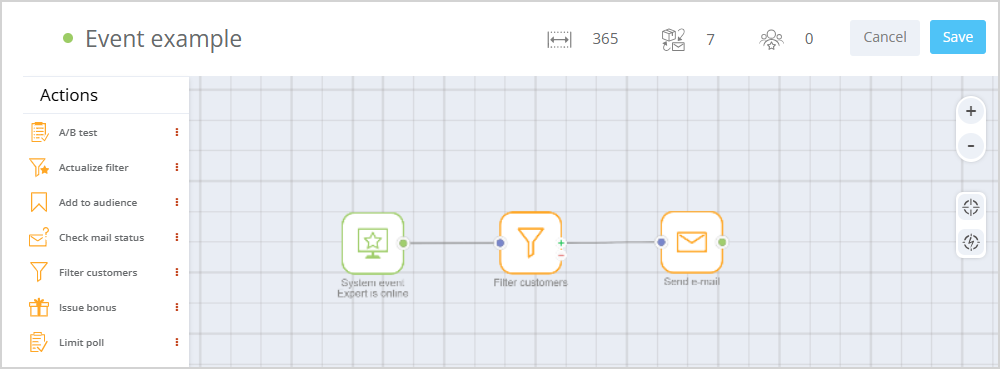
Example of using the System Event trigger:
|
Event Context
Event context can be used in campaigns in the following actions:
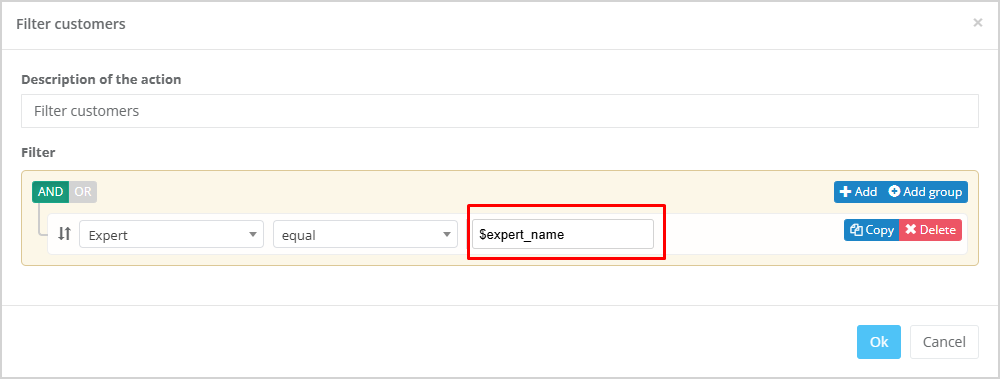
- Filter customers;
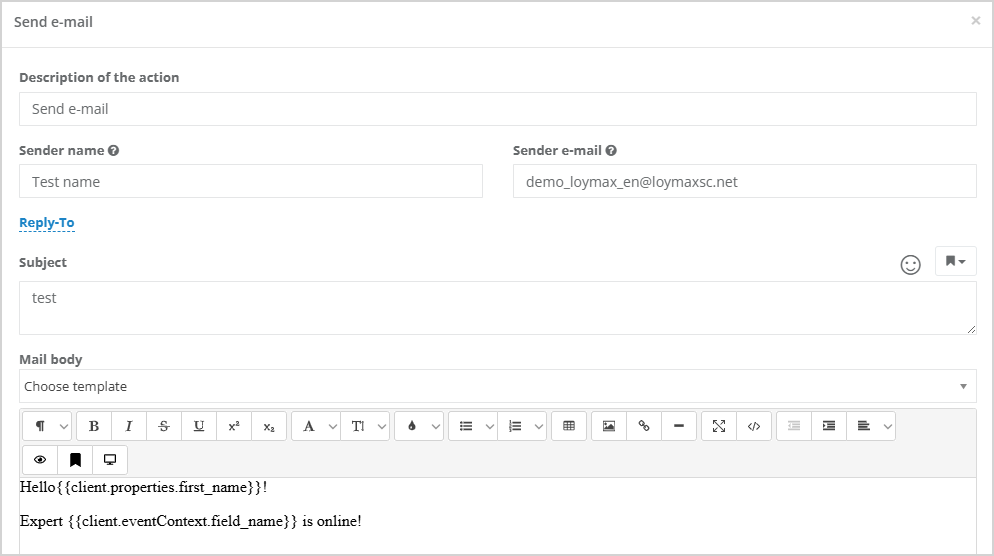
- Send a message (email/SMS/push)
To filter customers using a value from the event context, specify the field code from the context in the format: $field_code, as shown in the screenshot below.
|
To use a value from the event context when sending a message, use the variable {{client.eventContext.field_name}}.
|