
Employees
Loymax Smart Communications includes an access management system. You can create an unlimited number of accounts for your employees and assign each one the appropriate permissions to work with the product.
Contents:
Employee management
The employee management section is accessible via the main menu of the Smart Communications product: Settings > Employees.
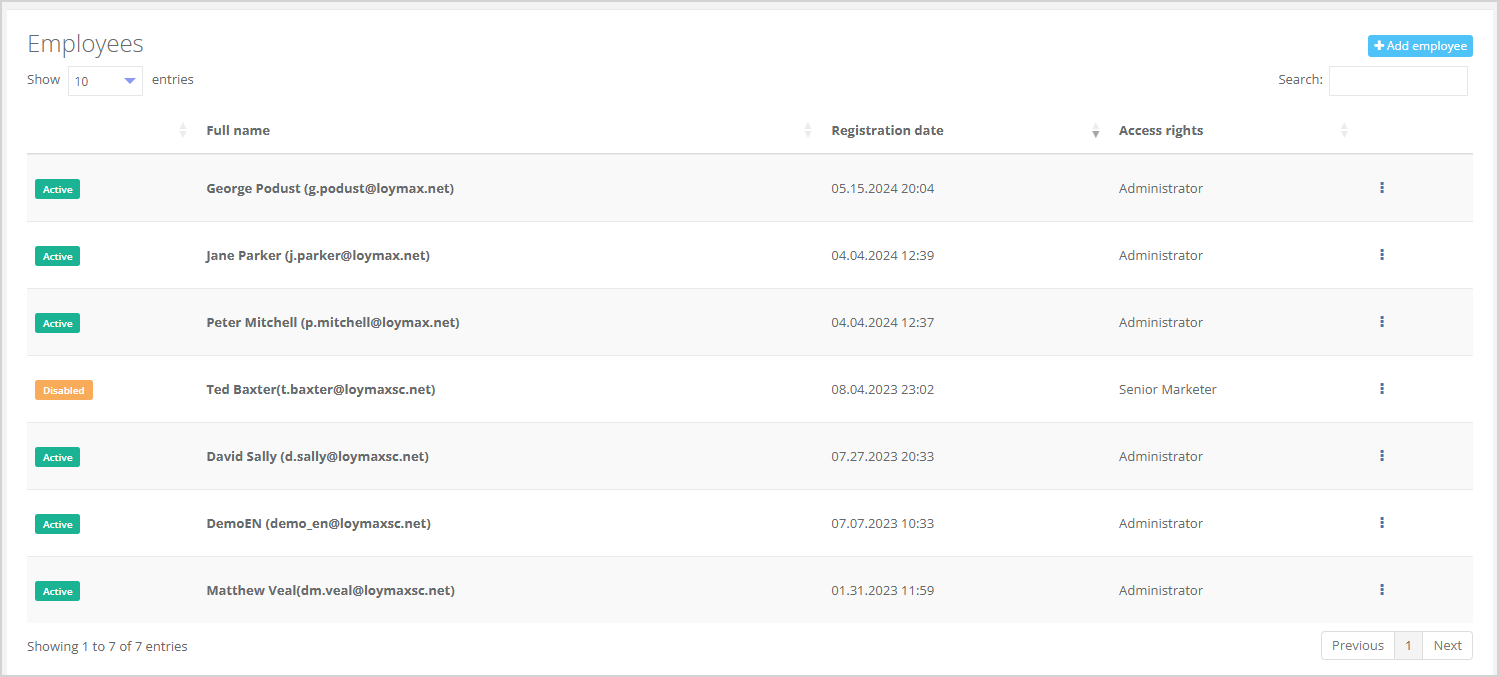
The section displays a list of all employees, with the following information shown for each:
- Status: active/disabled. If an employee status is set to disabled, they will not be able to perform any actions in the System until an administrator changes their status back to active;
- Full name of the employee;
- Registration date;
- Access rights.
|
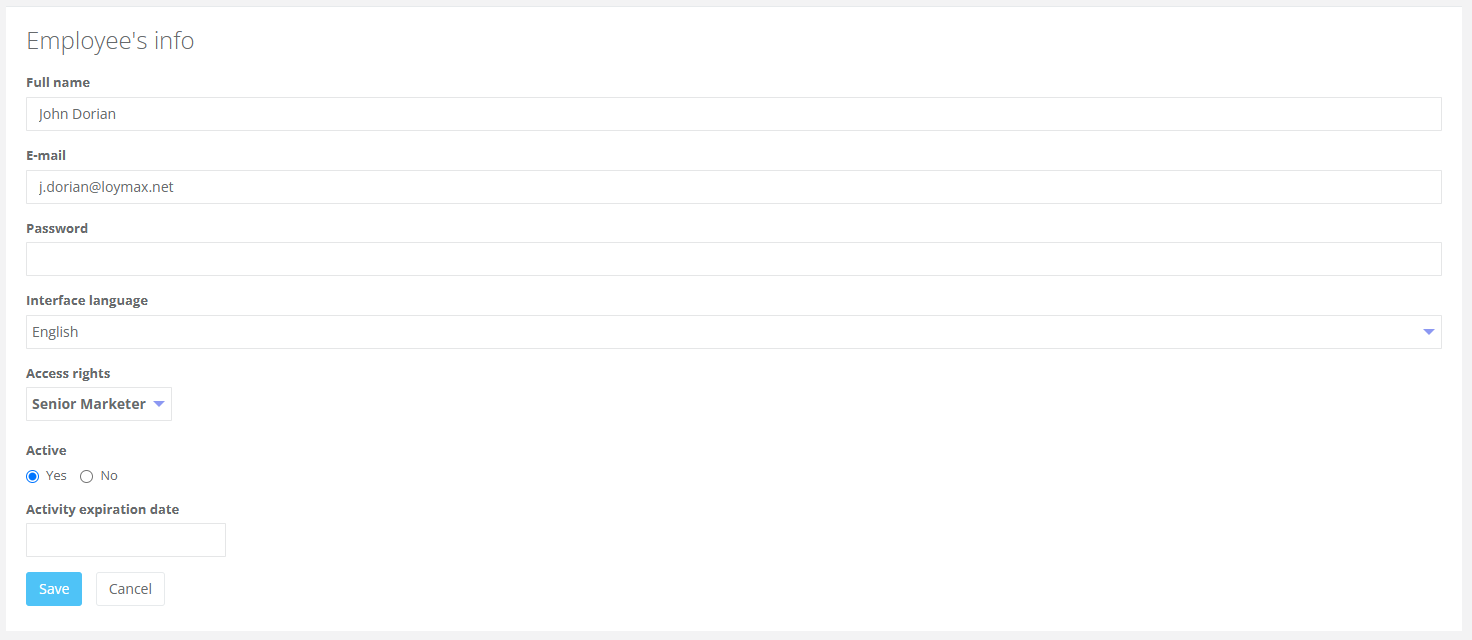
Click the Add employee button to add new employees to the System. The Employee details window will open, where you need to specify:
- Full name of the employee;
- Email;
- Employee language;
- Access rights — select the required role from the dropdown list:
- Administrator,
- Designer,
- Analyst,
- Marketer,
- Senior marketer,
- Operator,
- API;
- Active status;
- Activity expiration date — to limit the employee access period, specify the end date using the calendar picker. For example, if an employee is leaving on December 31, 2023, their account will automatically become disabled on that day.
|
An Administrator can edit any employee data by clicking the Edit button. The Employee details window will open, where available employee information can be edited. Additionally, an administrator can delete any employee except the account he is currently logged into.
Access rights
Smart Communications includes an access rights system. Each employee can have only one set of permissions.
List of standard access rights:
- Administrator — has access to all sections, including the Settings section.
- Designer — has access only to templates and drafts sections.
- Analyst — has access to all sections except the Settings section. Analyst cannot create/edit/delete campaigns, surveys, or mass mailings. He also cannot connect via API.
- Senior Marketer — has access to all sections except the Settings section and can perform all actions within them, including exporting customer lists containing personal data to a PC. He cannot connect via API.
- Marketer — has access to all sections except the Settings section and can perform all actions within them. He cannot export customer lists to a PC and connect via API.
- Call Center Operator — has access only to the list of customers (section All Customers), customer profiles, and the Tasks section. He cannot connect via API.
- API — has access only to the API section.