
View management
Smart Communications allows to customize list views: change the set of displayed fields and rearrange them. For example, this functionality is available in the Customer List and in the Customer Profile.
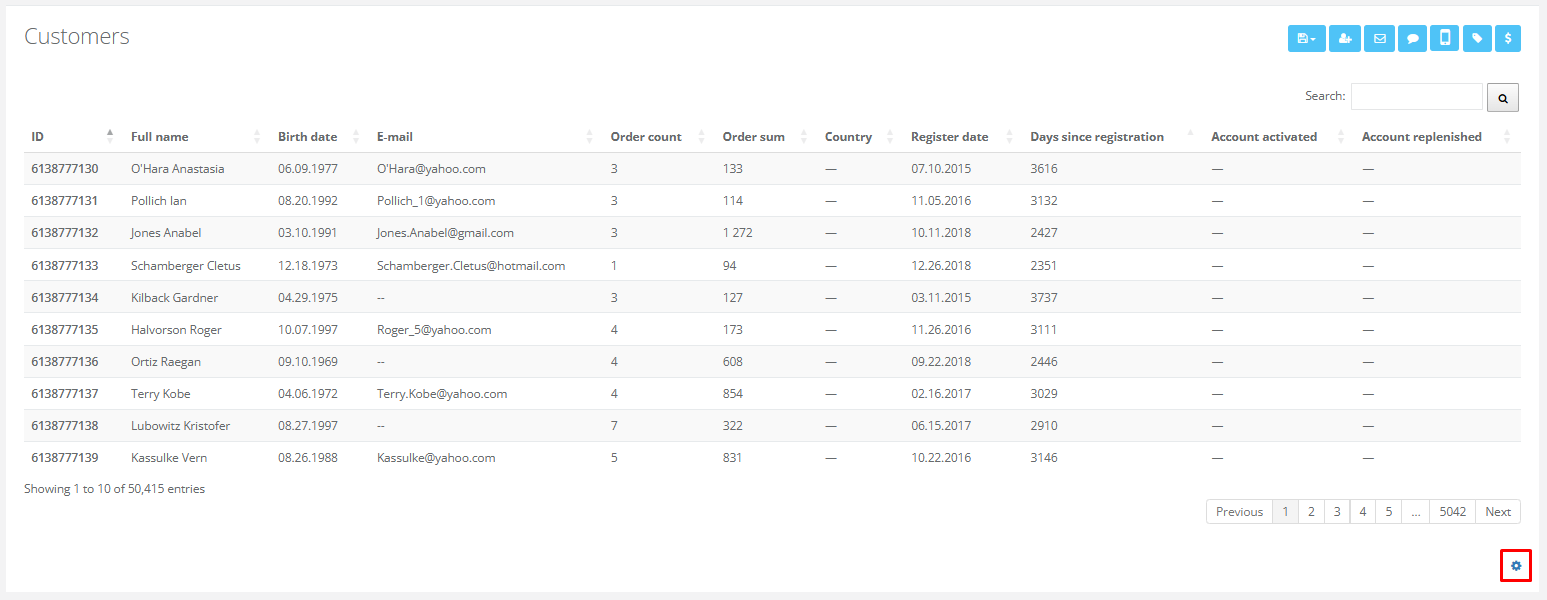
To change the set of visible fields, click the gear icon in the bottom-right corner of the screen.
|
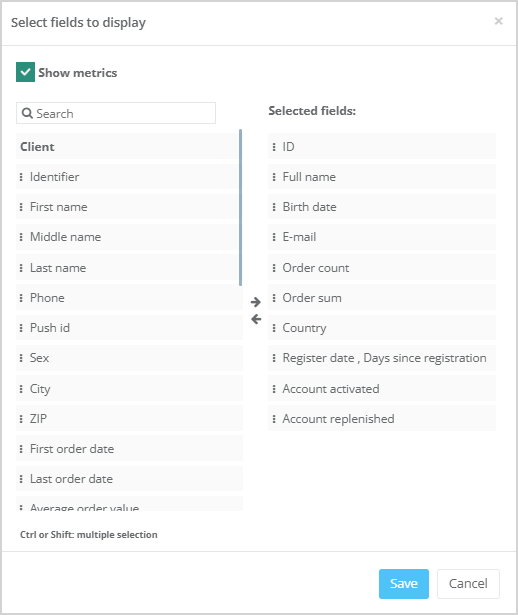
A modal window with view settings will open.
|
- To add a field to the list view, drag it from the left column to the Selected fields column on the right, or select it and use the arrow button in the center of the window.
- To move multiple fields at once, hold Ctrl or Shift while selecting fields.
- To remove a field from the list view, drag it from the right column back to the left, or use the arrow button to transfer it.
- To reorder fields within the view drag them to the desired position.
- Once you've selected all necessary fields, click Save to apply your changes.
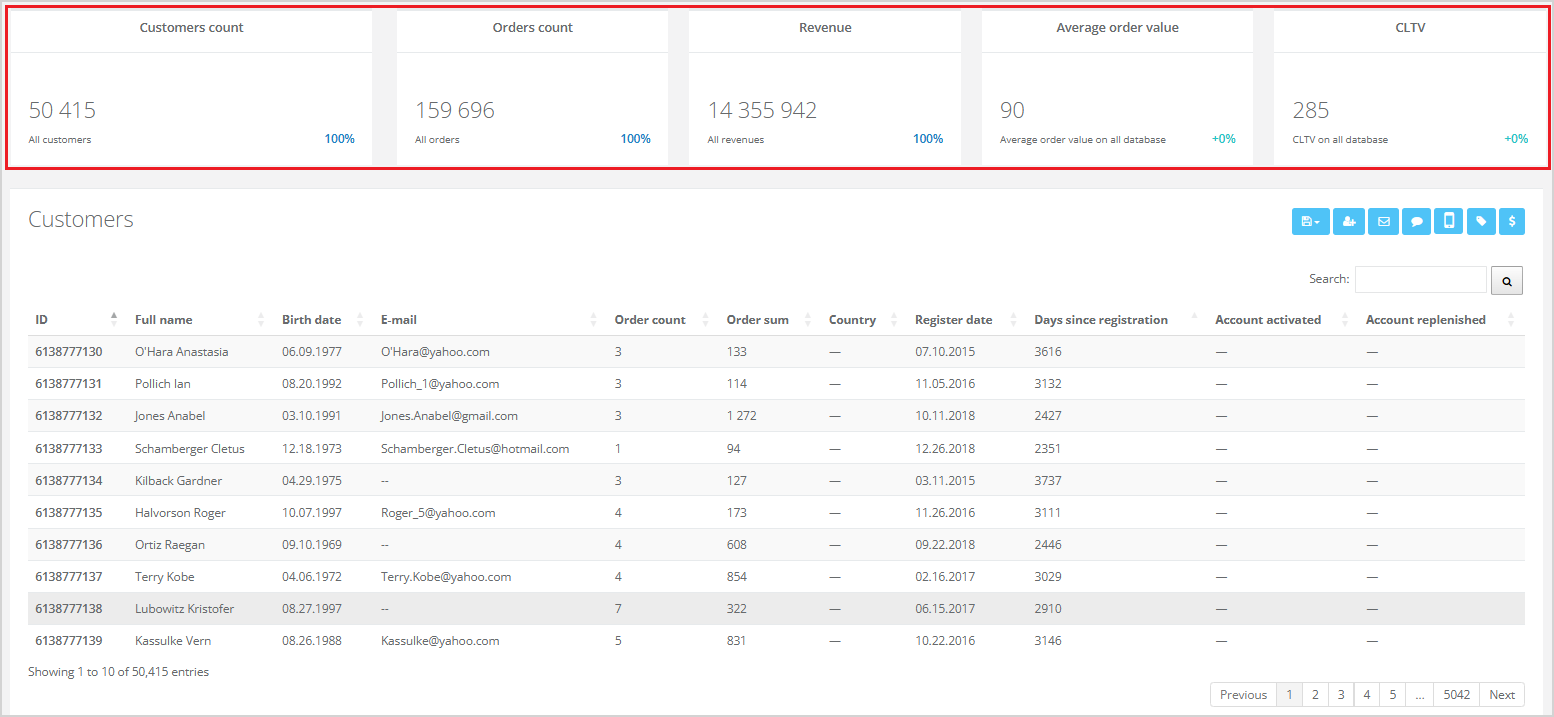
For the customer list, there is also an option called Show metrics. If the checkbox is enabled, metrics will be displayed above the customer list.
|