
Promo codes
Information about issued promo codes is stored in customer profile. This information can then be used in segment builder.
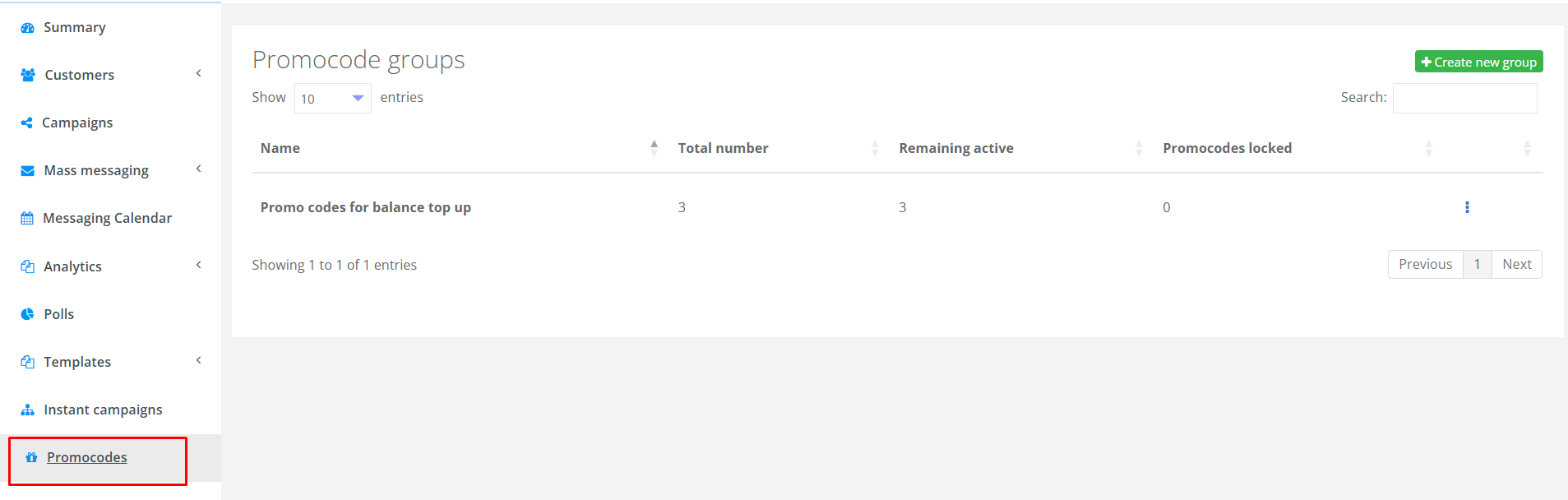
Go to the Promo codes section in the main menu. On the main page of the section, a list of promo code groups is displayed.
|
For each promo code group, the following is displayed on the page:
- Name;
- Total number of promo codes in the group;
- Remaining active promo codes. For example, there are 1000 promo codes in the group, and 700 are active. This means that 300 promo codes have already been sent to customers.
- Blocked promo codes — the number of blocked promo codes in the group. More information about blocking promo codes can be found below.
A promo code group can be edited or deleted by clicking the corresponding buttons.
Creating a promo code group
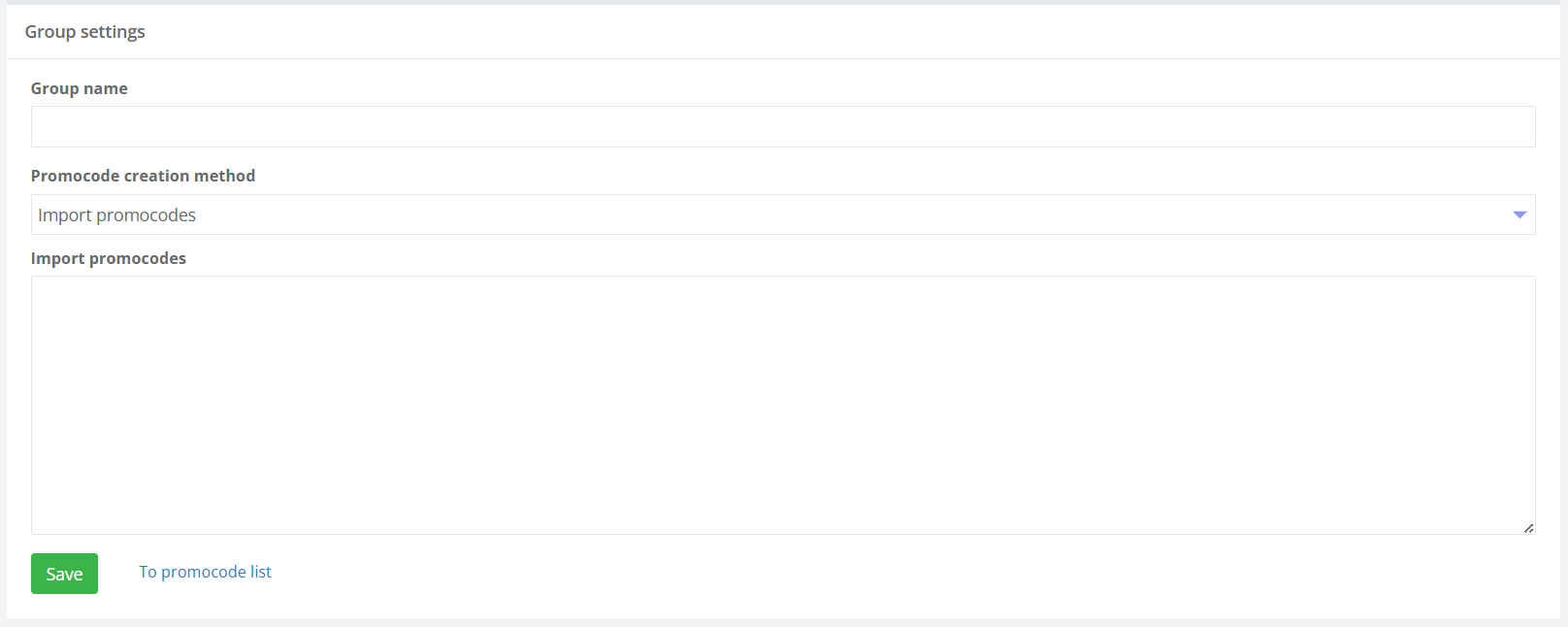
A new promo code group is created by clicking the Create new group button in the top right corner of the page. In the opened window, enter the Group Name, select the Promo code creation method, fill in the required fields, and click the Save button.
Available methods for creating promo codes:
- Upload promo codes,
- Import from a file,
- Generate promo codes.
|
Generating Promo Codes
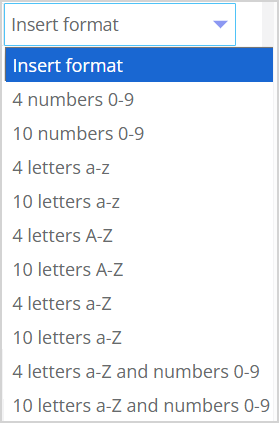
If the generation method is selected, choose the format of the generated promo codes and their quantity. The macro for the promo code format should have the {string('0-9', 4)}} form. The range of digits or letters of the alphabet is indicated in single quotes, and the number at the end defines the length of the promo code. The desired format can be selected from the provided list (see the image on the right). Formats can be combined by adding them to the line. It is also possible to add a prefix or suffix. Example: To generate a promo code of the format SUMMER-S5070RLLjJLWqpf, you need to select the formats 4 numbers 0-9 and 10 letters a-Z and enter the required prefix (in this case, SUMMER-). The format will look like this: SUMMER-S{string('0-9', 4)}{string('a-Z', 10)} |
|
Loading promo codes
Promo codes can be generated in another system (see How to create a coupon issue in the Loymax Loyalty module) and then uploaded to Smart Communications. There are two ways to upload:
- Using the web interface. Promo codes are uploaded to groups. To load promo codes into an existing group, click Edit in the row with the necessary group. Copy the generated promo codes and paste them into the Upload promo codes field. Each promo code should be on a separate line.
- Using API methods.
Issuing a promo code
The system allows issuing promo codes to customers in mass messaging and campaigns.
Use the macro to send a promo code in a message:
- {{client.promocode('<name_of_group>')}} — for the initial issuance of a promo code.
- {{client.last_promocode('<name_of_group>')}} — for the repeated issuance of a promo code. For example, if you need to remind a customer of a promo code that was previously issued.
The required parameter — the name of the group — is specified in parentheses. For example:

|
In each message, a unique promo code is sent. If 1000 promo codes are sent in a mailing, the number of active promo codes in the group will decrease by 1000.
In the Promo Codes tab of the customer profile, information about all promo codes issued to the customer is displayed. For each promo code, it is shown whether it was issued initially or repeatedly.
Using Promo Codes in the Segment Builder
Data about issued promo codes can be used for filtering when building segments in Segment builder. For example — "Find all customers who were issued a promo code from the '30% discount on school supplies' group."
In the Segment builder, the Promo Codes group is used for working with promo code data. The following filters are available in the group:
- Number of issued promo codes;
- Issued promo codes from the group.

|