
25 - Favorite products viewing and editing
Favorite products — personal products of the LP Member, which are subject to special preferences. Read more in the Mechanics of favorite products article.
To view and edit the favorite products of the LP Member, the Call Center Agent must have special permissions ("The user has the right to view favorite products" and "The user has the right to change favorite products").
Viewing favorite products
Viewing Favorite products is available if the Call Center Agent has the permission "The user has the right to view favorite products."
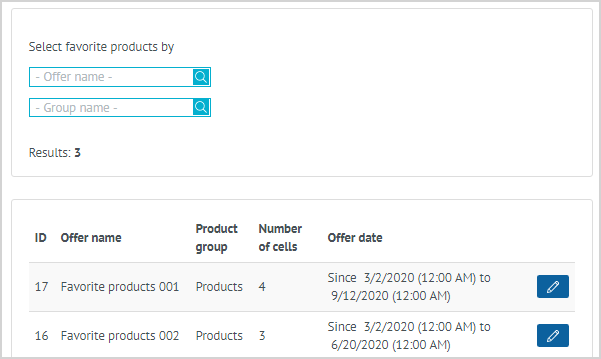
| Viewing information on Favorite products and transmitting it to the LP Member is as follows: 1. The LP Member calls the Agent by phone with a request to provide information about the current Favorite products. 3. To view information on Favorite products of the LP Member within a specific offer, the Agent clicks Edit in the line of the desired offer. |
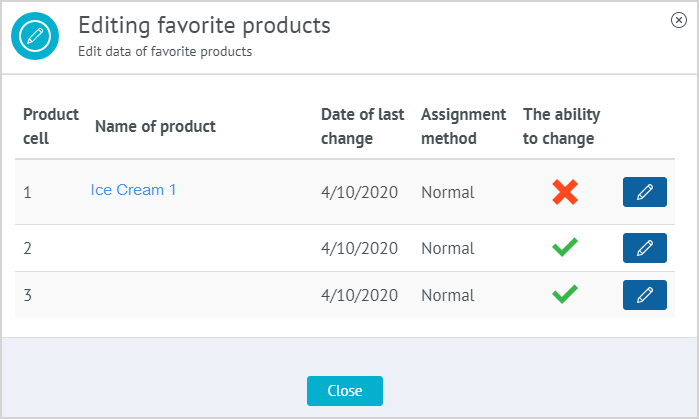
| 4. The agent sees information on the Favorite products of the LP Member:
|
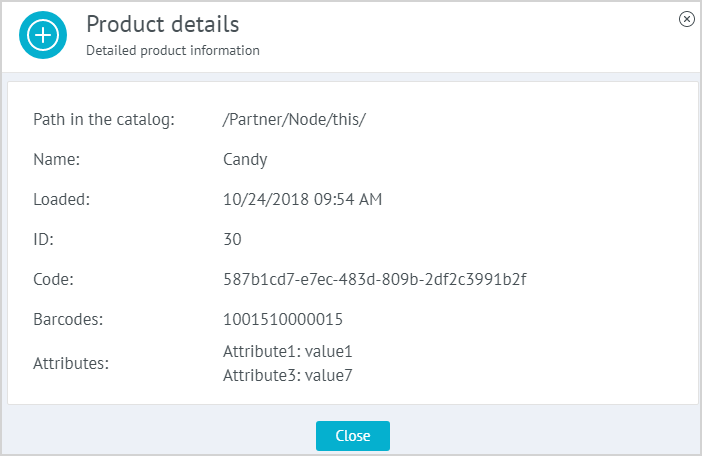
| 5. The Agent can see detailed information on the product. To do this, click on the name of the product, the product data sheet is displayed on the screen. 6. The Agent transfers information on the Favorite products to the LP Member. |
Editing of cells of Favorite products
Editing of Favorite products is available if the Call Center Agent has the permission "The user has the right to change favorite products."
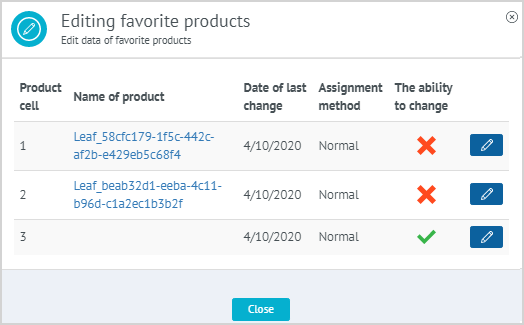
| 1. The LP Member calls the Call Center by phone to change the Favorite product cell. 2. The Agent proceeds to edit Favorite products, following paragraphs 2-3 of the instructions for viewing Favorite products. The ability to change Favorite product in the cell is indicated by the corresponding icons:
3. In the cell line of the Favorite product that can be edited, the Agent clicks Edit. |
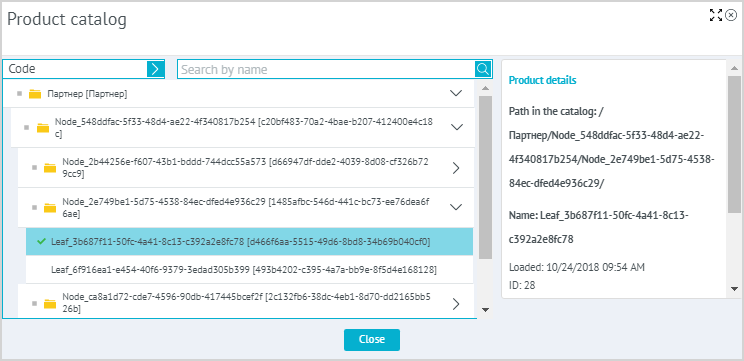
| 4. In the product catalog, the Agent selects the product that, at the request of the LP Member, will be placed in the editable cell of the Favorite product, and clicks Save. |
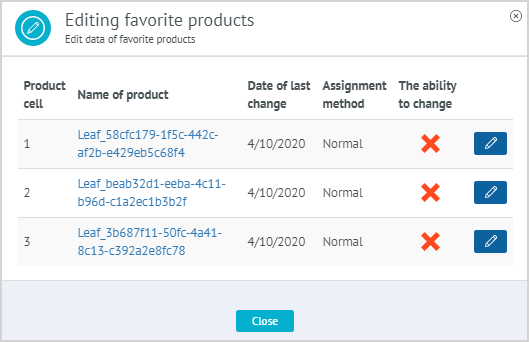
| 5. The new Favorite product is displayed in the row of the edited cell and is indicated by 6. The Agent informs the LP Member about the successful change of the Favorite Product and clicks Close. |
 — favorite product cell can be edited;
 — favorite product cell cannot be edited;