
22 - Removing from Loyalty program
Removing from the Loyalty Program occurs only at the initiative of the LP Member.
In the process of removing from the Loyalty Program, the Agent shall, from the words of the Member, indicate the reason for his removing from the Loyalty Program.
This functionality is available only to agents with a special right - "The user has the right to remove members from the LP."
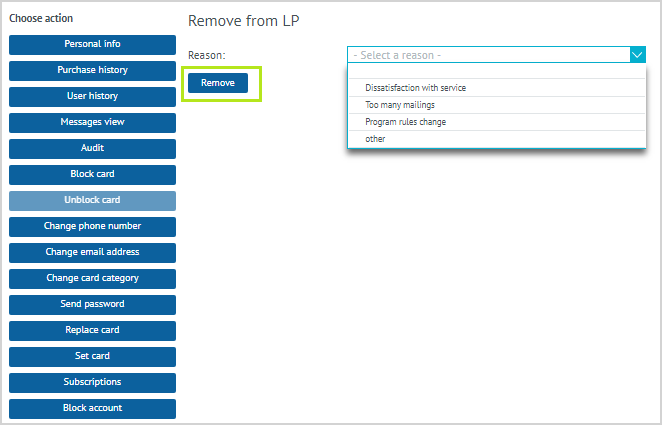
| 1. The member calls the Call Center and reports his desire to be removed from the Loyalty Program. 2. The Agent clicks on the Remove from LP button in the LP Member data sheet. 3. The Agent opens the drop-down list Select a reason and selects one of the reasons presented in it from the Member's words to remove from the Loyalty Program:
When selecting a reason for Other, an additional field appears for entering information. According to the LP Member, the Agent enters information in the field. After selecting the reason for removing from the Loyalty Program, the Agent clicks on the Remove button. |

| 4. In case of successful completion of the process of removing of the Member from the LP, a message about this appears on the agent’s screen. The agent clicks Close. |
After the Member is removed from the Loyalty Program, it will not be possible to find him in the system using his deleted identifiers. All data of the removed LP Member will be deleted from the System.