
12 - Phone number change
This functionality is available only to agents with special permissions ("The user has the right to change the phone number").
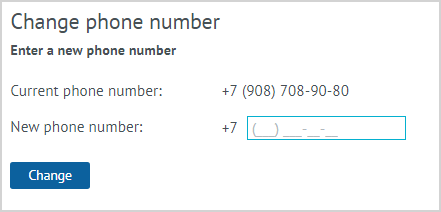
| To change the phone number of the LP Member, it is need to choose the Change phone number action. The form that appears displays the Current phone number of the LP Member and the field for entering the New phone number. As an additional identification, functionality can be connected for entering and verifying the password from the Personal account of the LP Member. To save a new phone number, click the Change button. |
Notes:
- This functionality is available only to agents with special permissions.
- Identification of the LP Member occurs by entering an agent’s password from the Personal Account that the LP Member informs, or by finding out personal information about the LP Member (full name, date of birth, address), information on purchases, etc.
- Only one basic and/or one virtual card can be activated per telephone number.
- After changing the phone number, the authorization of the LP Member in the Personal Account can be carried out using the new phone number.