
26 - Card linking
After registration in the Loyalty Program, the LP Member can link a physical bonus card to their profile
The number of physical cards, that one LP Member can have, is set in system configurations.
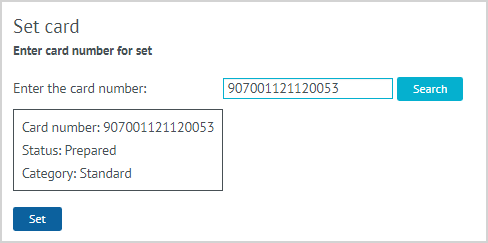
| 1. To link a physical bonus card to the LP Member's profile, the CC Agent selects the Set card action. 2. In the field that appears, the CC Agent enters the number of the card that needs to be linked to the Member's profile and clicks on the Search button. 3. The information on the linked card appears. The CC agent clicks Set. |

| 4. If the card is linked successfully, a message appears on the screen. |

| 5.The linked card in the Activated state is displayed in the list of cards of the LP Member. |
Notes:
- After linking the card, its number can be used to identify the LP Member, for example, at the cash register of a POS or at the Call Center.
- It is possible to link a bonus card only in the Prepared state.
- It is not possible to link a bonus card in the Activated state, i.e. owned by another Member of the LP.