
Event_sources
Loymax Smart Communications allows you to process events that occur across various sources, such as an online store, mobile application, and more. Tracking event sources can help analyze user behavior, identify the most effective communication channels, and optimize marketing campaigns accordingly.
Sources list
Information about event sources is available in the Settings > Event Sources section.

|
There are two types of event sources:
- System sources — automatically created when a new Partner is added to the system. These sources are always named Online Store. This source can be disabled using the toggle switch in the Active column if needed. System event sources cannot be deleted.
- User-defined sources — sources created by users via the interface.
Creating User-Defined SourcesTo create a new source, click the Add source button in the top-right corner of the page (see image above). A modal window titled Source property will open, where you need to specify:
The Activity status of an event source is managed using the toggle switch For example, if a Partner has a main website with an online store and additional websites for promotional campaigns, each site should have its own event source registered in Smart Communications. The code specified in these sources will be used for tracking events on each respective website. |
|
Clicking on the name of an event source in the main list of sources section opens the Source properties modal window, where you can perform the following actions:
|
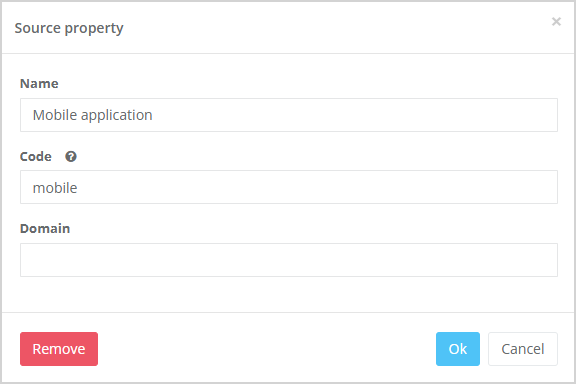
|
 in the main section window listing all sources (see image above).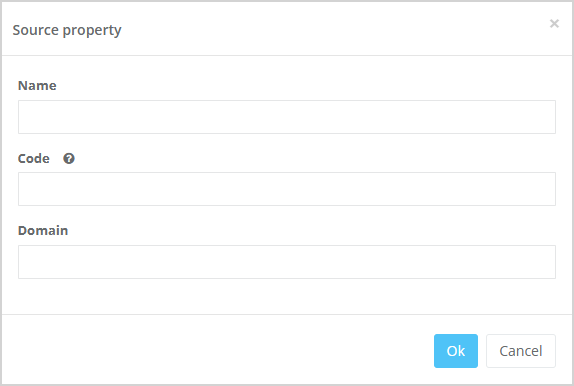
Using Event Sources in the Segment Builder
Event sources can be used in the Segment builder.
For example, a Partner may have both an online store and a mobile app. By using event sources, the Partner can see how many users performed a specific action (e.g., viewed a product category) on the website and how many did so in the Mobile App. Based on the results, they can then develop further strategies for launching marketing campaigns and mass mailings.
The image below shows an example of creating a segment of customers who viewed the "Jacket" category in the Online Store at least once in the last 30 days.

|