
A/B testing in mass messaging
The System supports A/B testing for each type of mass mailing, allowing multiple message variants to be created and tested to identify the most effective version. For example, it is possible to evaluate how different messages affect the average receipt amount or the average number of receipts per customer.
By default, the same message version is delivered to all recipients in a mass mailing. The A/B testing feature allows to send from 2 to 5 different message versions as part of a single mass messaging.
The following items can be changed in different variants of the message:
- Message text;
- Sender;
- Subject (for email messages);
- Files to be attached (for email messages).
Example of А/В testing
You can create 2 message versions in SMS mailing:
- Half-price for eco products.
- Enjoy a 50% discount on eco-friendly products — just for you.
Creating an A/B test in mass mailings
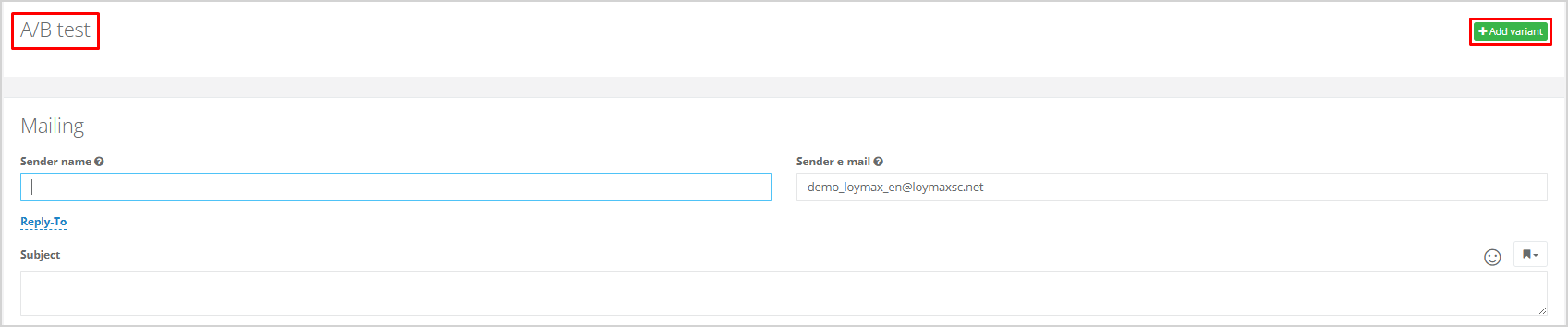
To add a new variant of the mailing message, open the page for creating a mass message and go to the A/B test block.
Click Add variant.
|
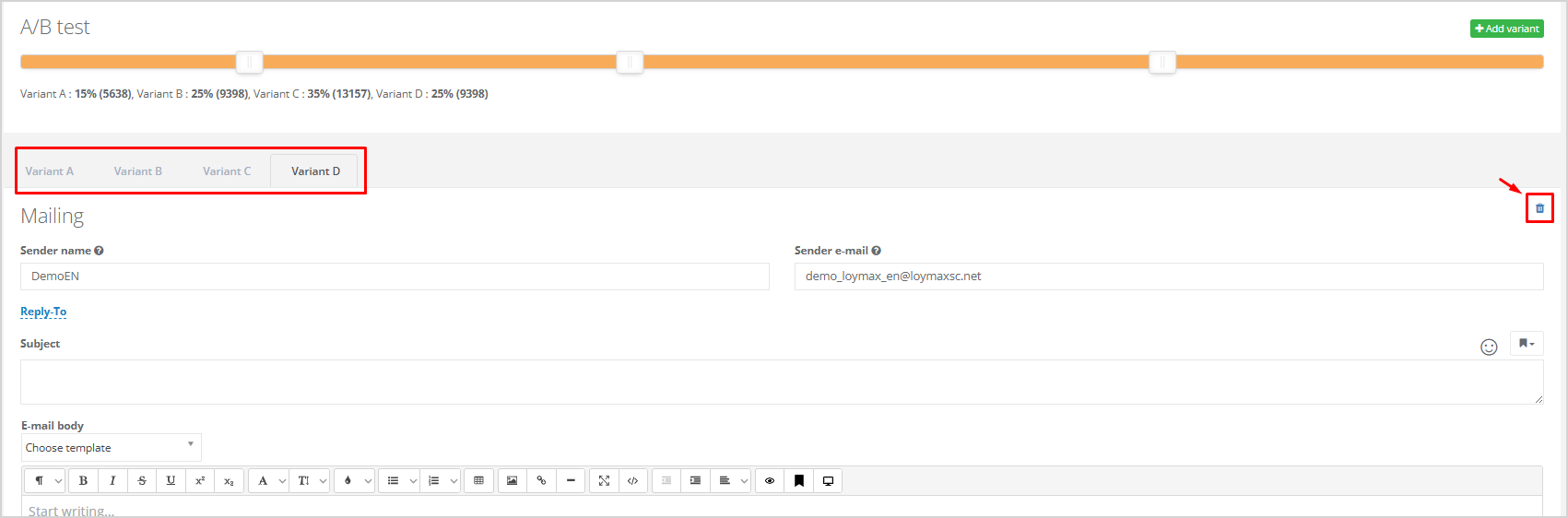
You can set the percentage of recipients for each message version. If not configured manually, versions are assigned to customers evenly by default. For example, in case if there are two message versions, 50% of customers receive the first version, and the remaining 50% — the second.
The percentage ratio can be adjusted using the slider.

|
Example of uneven distribution of message versions:
- Version А will be received by 15% of customers;
- Version B — 25%;
- Version С — 35%;
- Version D — 25% of customers.
|
When creating an A/B test in a mass mailing, tabs appear in the Mailing block, as shown on the screenshot above. The number of tabs corresponds to the number of test variants. Clicking on a tab opens the section for filling in message parameters for that specific variant. There is a need to complete these parameters for each variant.
To delete a test variant, click the recycle bin icon in the corresponding tab.
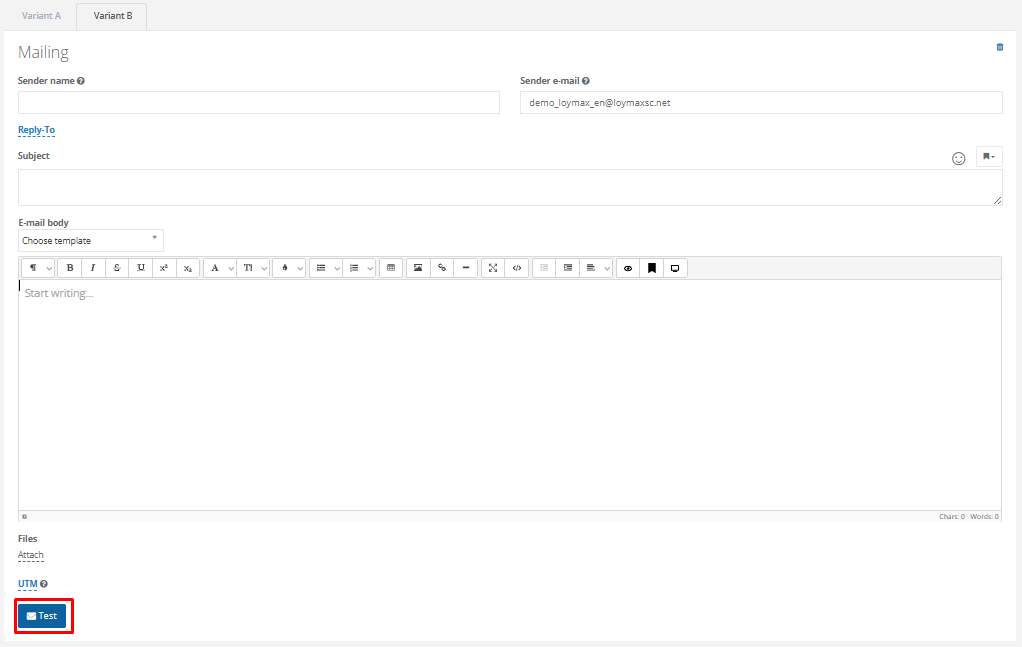
After completing all message variants, it is possible to send a test message using the desired variant. To do this, select the tab with the required message variant and click Test.
 |
Для предпросмотра письма необходимо выбрать вкладку с нужным вариантом сообщения и нажать кнопку предпросмотра на панели форматирования.

|
Отчёты
Отчёт по проведенному А/В-тестированию доступен на странице, где располагаются все остальные отчёты по рассылке.

|
В первой таблице по каждой группе выводится информация:
- Количество получателей — сколько сообщений было отправлено в данной группе;
- Доставлено сообщение — сколько сообщений было доставлено в данной группе;
- Количество клиентов, совершивших покупку — рассчитывается с учётом параметров атрибуции;
- Конверсия в покупателей — сколько процентов клиентов, получивших письмо, совершили покупку под влиянием рассылки;
- Количество чеков в группе;
- Среднее число чеков на покупателя;
- Сумма покупок;
- Средний доход на покупателя.
Вторая таблица содержит подробную информацию о конверсии и о нежелательном поведении в каждой группе. Например, в группе B:
- Отправлено — 36 057 сообщений (100%);
- Доставлено — 36 057 сообщений (100% от отправленных);
- Открыто — 918 сообщений (2.5% от отправленных);
- Переходы были из 198 сообщений (0.5% от отправленных);
- Заказы — из 26 сообщений (0.1% от отправленных);
- Отписались после получения сообщения 2 человека (0%);
- Жалоб на спам – 0 (0%).
Значения в некоторых столбцах выделены цветом: зеленым – лучшее значение, красным – худшее (см. изображение выше). Например, в группе А средний доход на покупателя – 2 317 рублей, это лучшее значение среди всех групп (выделено зеленым). В группе B – 995 рублей, это худшее значение (выделено красным). |