
Awarding bonus points via Smart Communications
Loymax Smart Communications enables you not only to automate customer communications but also award bonus points as part of campaigns.
By combining different segments and campaigns, you can award bonus points to customers from various categories based on specific customer data—for example, for in-app activity, purchases, on a specific date, and so on.
Let’s consider the example of awarding bonus points on customers’ birthdays to those who registered in the Loyalty Program (LP) more than one year ago.
To award bonus points via Loymax Smart Communications, you need to complete the following steps:
- Create a user segment (for detailed instructions on creating segments, see the article);
- Create a campaign (for detailed instructions on creating campaigns, see the article).
As a result, the campaign will award bonuses to all customers in the created segment on their birthdays.
Creating a user segment
To award bonuses via Loymax Smart Communications, you must first create a customer segment consisting of those who registered in the LP more than one year ago:
- In Loymax Smart Communications, go to Customers > User segments.
- Click Create segment.
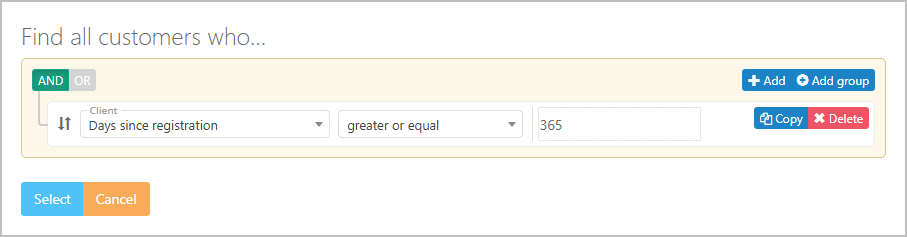
- Select the filter: Days since registration, condition: greater or equal.
- Enter the value 365 in the empty field.
- Click Select. This will display all customers who registered in the system more than one year ago.
|
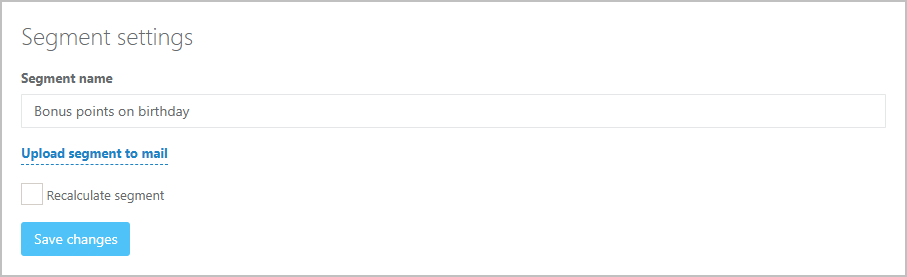
- At the bottom of the page, specify a segment name.
|
- Click Save changes.
Creating a campaign
After creating the segment, create a campaign to monitor customers’ birthdays and award bonuses accordingly. To do this:
- In Loymax Smart Communications, go to Campaigns.
- Click Create new campaign.
|
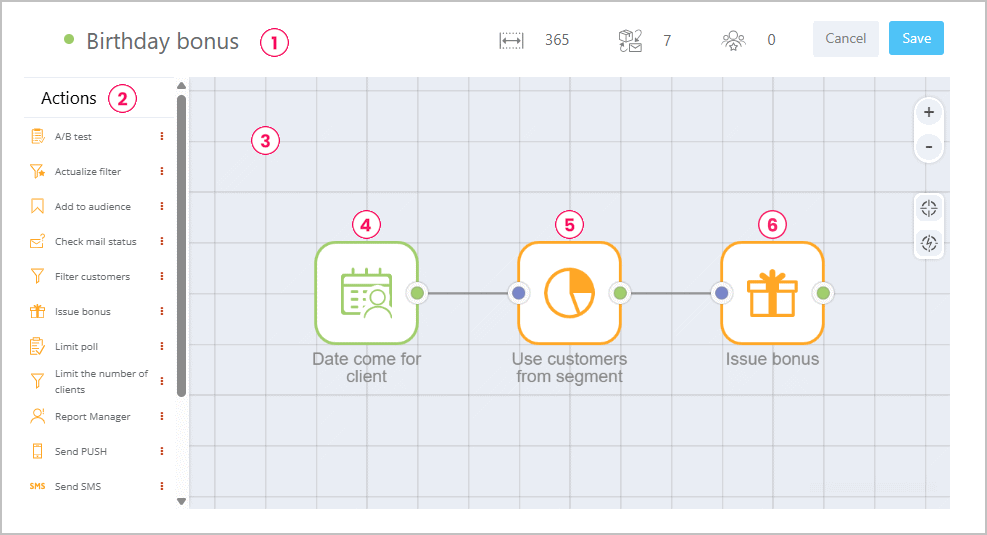
- Enter a campaign name
 (see figure above).
 - Double-click the trigger button
 .
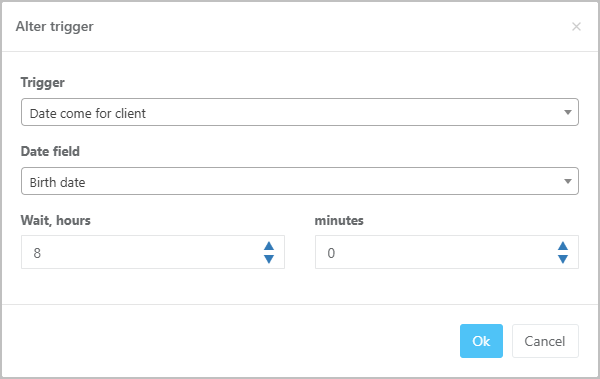
. - Set the following values in the fields:
- Trigger — Customer date occurrence;
- Date field — Date of birth.
- Click OK.
|
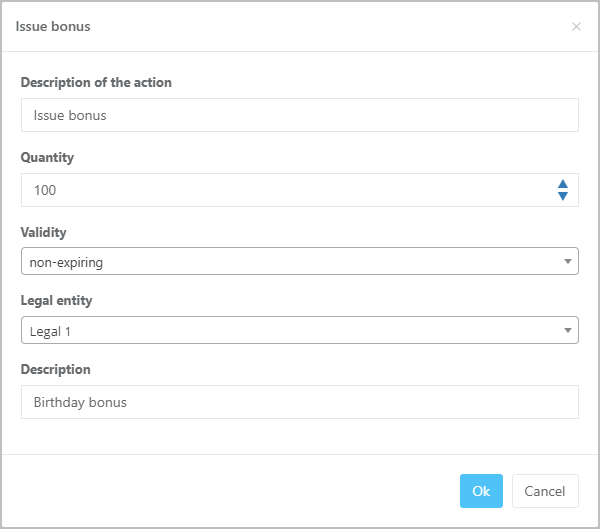
- Drag the Issue bonus action
 from the Actions column
  into the workspace
  .
. - In the window that appears, fill in the following fields:
- Amount of bonus points to be awarded to the customer.
- Lifetime — bonus validity period.
- Legal entity from whose account the bonuses will be awarded.
- Accrual description — (optional) enables searching for the accrual operation by description using a dedicated filter in the Loymax Platform under Accruals and deductions.
|
- Click OK.
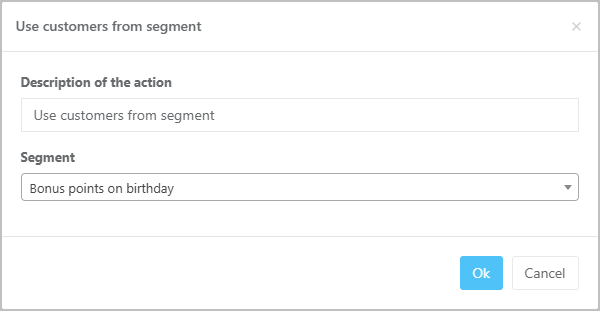
- Drag the Use customers from segment action
 from the Actions column into the workspace.
 - In the window that appears, select the segment created earlier and click OK.
|
- Connect the trigger and actions with lines (see figure below).
- Click Save.
As a result, the campaign will award bonuses to each customer in the segment on their birthday. Customers will automatically be added to the segment one year after joining the LP.
You can verify that bonuses were awarded to a customer in the Activities section of the customer profile in Loymax Smart Communications. The awarded bonuses will appear in the Detailed balance section of the customer profile in Loymax Loalty.