
Subscription synchronization between Loymax Loyalty and Smart Communications
Information about available communication channels with customers is synchronized between Loymax Loyalty and Loymax Smart Communications.
Contents:
The following sections are responsible for configuring communication channels and types of mass messaging:
- Subscription types — in Loymax Loyalty;
- Mailing categories — in Loymax Smart Communications.
Available communication channels:
- In Loymax Loyalty: SMS, Email, Push, Viber, Social Networks;
- In Loymax Smart Communications: SMS, Email, Push, Autocall, Bot.
Unlike Loymax Loyalty, Smart Communications does not have pre-configured mailing types. All types of mass messaging in Smart Communications are created manually in the Settings > Mailing categories section.
New subscription types created in Loymax Loyalty are not processed by Loymax Smart Communications.
Subscriptions change on the Smart Communications side
Operation mode: information about changes to a customer’s subscription status for communication channels in Loymax Smart Communications is transmitted to Loymax Loyalty in real-time mode.
Interface section for managing mailings: customer profile in the All Customers > Customer Profile > Subscriptions section. The customer profile shows all active mailing categories and the status of each communication channel through which the customer can receive messages.
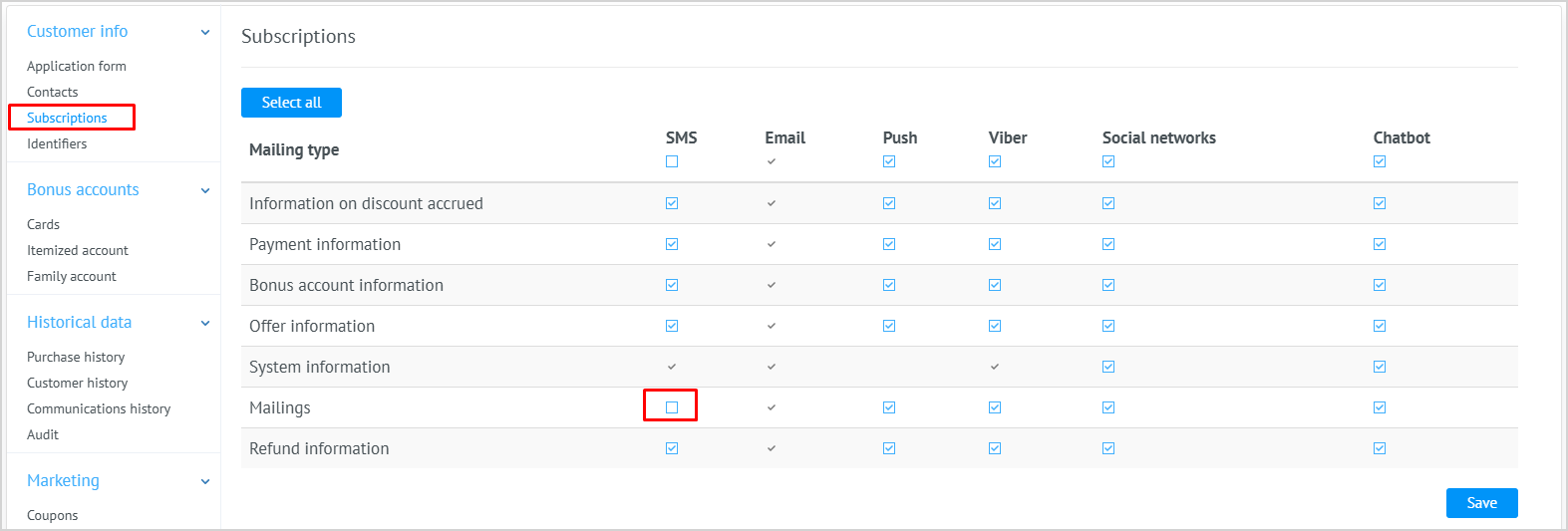
How it works: if only one mailing category is disabled for one communication channel, this change will not be sent to Loymax Loyalty. However, if the entire communication channel is fully disabled, Loymax Loyalty will be informed that the customer has unsubscribed from this channel. As a result, the subscription type Mailings for this channel in Loymax Loyalty will become inactive.
Below are detailed scenarios.
| Scenarios | Loymax Smart Communications | Loymax Loyalty |
|---|---|---|
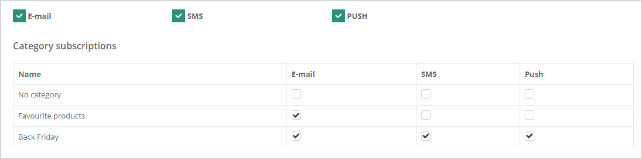
| Customer unsubscribed from some mailings within one communication channel | Customer has all communication channels enabled in Smart Communications:
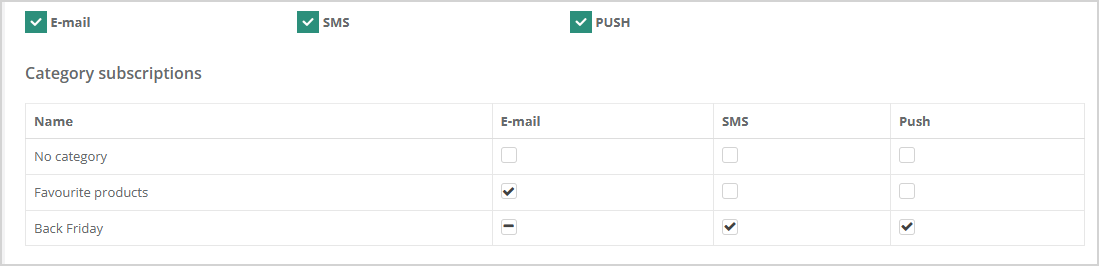
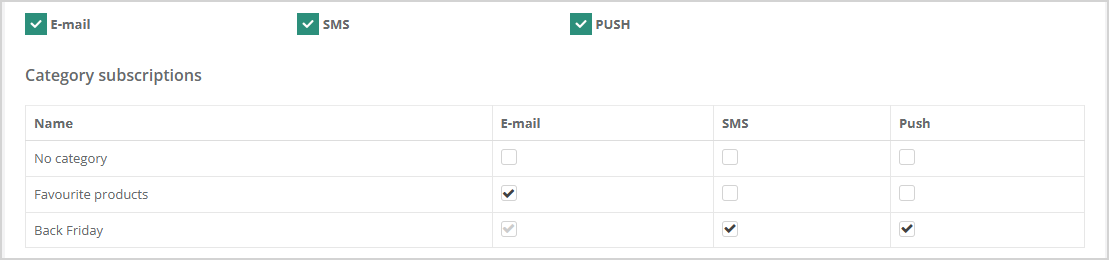
Customer unsubscribed from the "Black Friday" mailing category via Email:
| Changes made in Smart Communications will not affect the subscription status in Loymax Loyalty. |
| Customer fully unsubscribed from one communication channel | Customer has all communication channels enabled in Smart Communications:
The customer will no longer receive messages via SMS, even if there are active mailing categories for this channel (e.g. Black Friday). | Loymax Loyalty receives information that the customer has unsubscribed from SMS communications. The Mailings subscription type status for the SMS communication channel becomes inactive. Other subscription types remain unaffected in Loymax Loyalty.
|
 Customer disabled the SMS communication channel: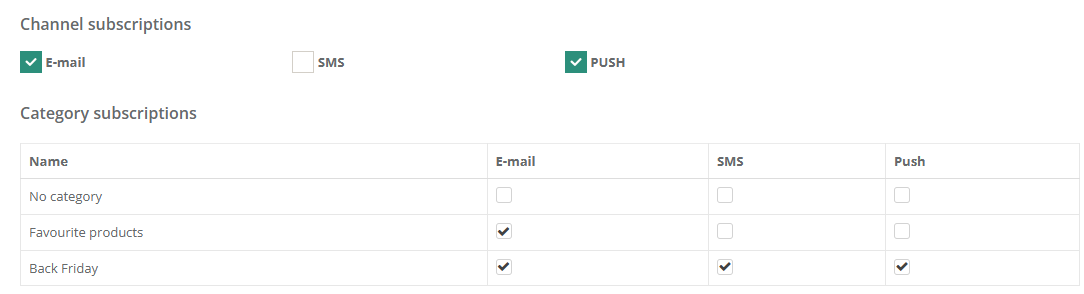
Unsubscribing from mailings via email
Smart Communications allows customers to manage their mailing subscriptions directly via emails links.
How it works:
- An unsubscribe link is added to the email body: https://testbranch.loymaxsc.net/unsubscribe/?7835026ffb1cfa03b923809c04270a8c-135
- The customer receives an email message and clicks the unsubscribe link.
- A subscription management page opens, where the customer can adjust their mailing category and channel preferences.
- The customer clicks Update subscription settings.
- All changes are saved in the database and sent (via API) to Loymax Loyalty.
Subscriptions change on the Loymax Loyalty side
Operation mode: Information about changes to mailing statuses in Loymax Loyalty is transferred to Loymax Smart Communications either once daily via DWH or in real-time if RabbitMQ is configured.
Interface section for managing mailings: Call Center > Subscriptions or CRM > Customers > Customer Profile > Subscriptions.
How it works: If the Mailings subscription type for a particular channel is disabled in Loymax Loyalty, the updated channel subscription statuses will be passed to Loymax Smart Communications. However, subscription statuses for specific mailing categories in Smart Communications remain unchanged.
Read also:
- System dictionary Unsubscription Reasons, where you can add reasons for unsubscribing from mailings.